On this page7
A lot of perfectly good websites still run on Joomla versions that no longer get security updates. They work, nobody has touched the template in years, and the client doesn’t want to spend money on something that isn’t visibly broken. Then a hosting provider upgrades PHP, or a vulnerability report lands, and the “stable” site suddenly becomes an emergency.
If you look after clients on older Joomla sites, this is our honest comparison of the options, including the one where you don’t migrate at all.
Where the versions stand
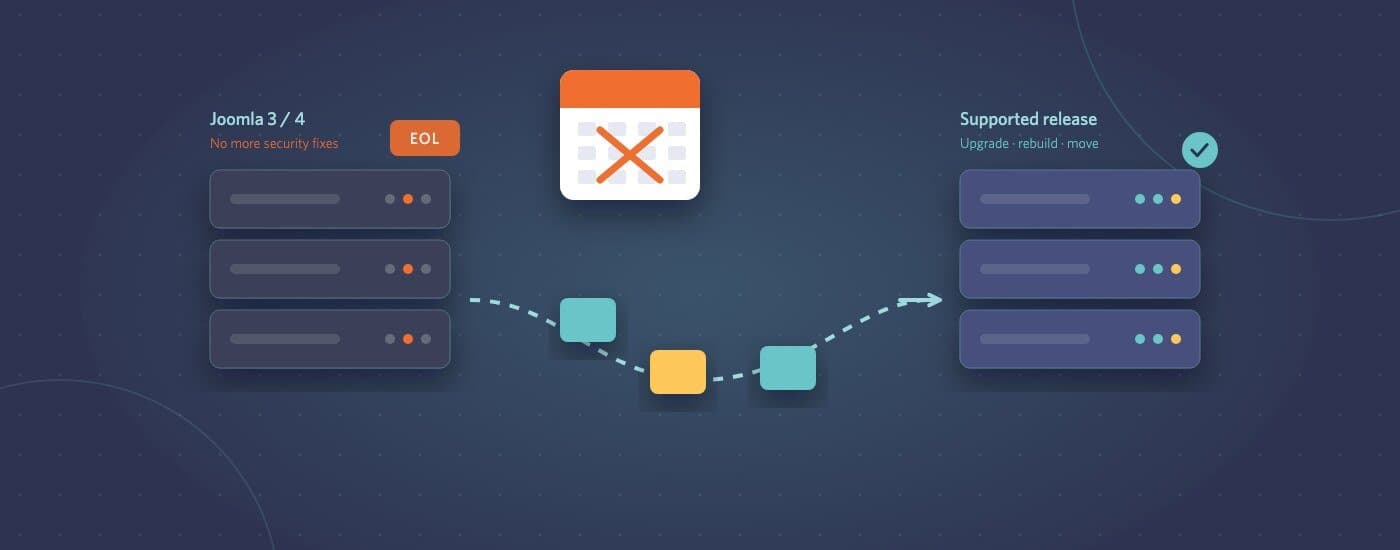
Joomla 3 reached end of life in August 2023, and Joomla 4’s security support ended in October 2025. Joomla 5 and the newer Joomla 6 are the supported releases. Check the official roadmap on joomla.org for the exact dates, because they matter when you plan the work.
“End of life” doesn’t mean the site stops working. It means no more security fixes from the Joomla project. Every vulnerability discovered from that point on stays open. Hosting companies also move on: once a server drops the older PHP versions an old Joomla install needs, the site either breaks or has to stay on outdated server software.
Option 1: Upgrade to a supported Joomla version
This is usually the right choice when the site is content-heavy, the client’s team knows Joomla, and the structure still makes sense.
How hard it is depends on where you’re starting:
- Joomla 4 to 5 (and on to 6): generally the smoother path. The main work is checking that every extension has a compatible version and testing the template.
- Joomla 3 to anything current: a bigger job. Joomla 4 changed a lot under the hood, so older templates usually need rebuilding, and some extensions have no modern version at all. Budget for it as a partial rebuild, not an update.
Before you quote, list every installed extension and check whether each one still exists, is maintained, and has a version for the target release. That list decides most of the cost.
Option 2: Rebuild on a current Joomla install
Sometimes an in-place upgrade means carrying ten years of workarounds into a new version. A clean install with a new template, and only the content migrated across, can end up cheaper and far easier to maintain. It’s also a natural moment to fix the design, improve performance and meet current accessibility standards.
Option 3: Move to WordPress
If the client’s team finds Joomla’s admin hard to use, or the agency looking after the site mostly works in WordPress, migrating can make the next five years simpler. The work usually includes:
- Moving articles, categories, media and users
- Rebuilding the template as a WordPress theme
- Replacing Joomla extensions with WordPress plugins or custom code
- A full redirect map from the old URLs, so search rankings carry over
Joomla’s URL structure rarely maps neatly onto WordPress, which is why the redirect map deserves real attention. Losing organic traffic after a migration almost always comes down to missing or broken redirects.
Option 4: Move to something simpler
Some older Joomla sites are really brochure sites with a few pages that change twice a year. For those, a static site or a lightweight CMS can remove most of the maintenance burden altogether. It’s worth asking the client how often content actually changes before assuming they need a full CMS again.
Option 5: Stay put, deliberately
Occasionally staying on an old version is a defensible short-term choice: the site is being replaced within months, or it’s an internal tool behind a login. If so, make it a documented decision rather than something that happens by default:
- Remove every extension that isn’t strictly needed
- Put the site behind a web application firewall
- Take off-site backups and actually test restoring one
- Agree a date by which it will be upgraded or retired
Paid extended-support services exist for some older Joomla versions too. They can buy time, but they don’t make the upgrade go away.
How to help a client choose
Three questions narrow it down quickly:
- How often does the content change, and who changes it? This decides whether they need a full CMS at all.
- Which extensions does the site depend on? This decides whether upgrading Joomla is realistic.
- What else does the client want to change? If a redesign is coming anyway, a rebuild or migration now avoids paying twice.
If you have a client on an older Joomla site, we’re happy to take a look. Send the URL through our project brief form and we’ll tell you where it stands and what each option would realistically involve.