On this page8
A site that scores well on launch day can be slow three months later. A marketing team adds a chat widget, two tracking pixels and a hero video, and nobody notices until the client asks why their search rankings dipped. Performance usually isn’t lost in the build. It’s lost after handover, when nobody is responsible for it any more.
This is the checklist we use to hand over a site that stays fast. It’s written for agencies passing a build to a client team, but it works just as well for your own projects.
The three numbers that matter
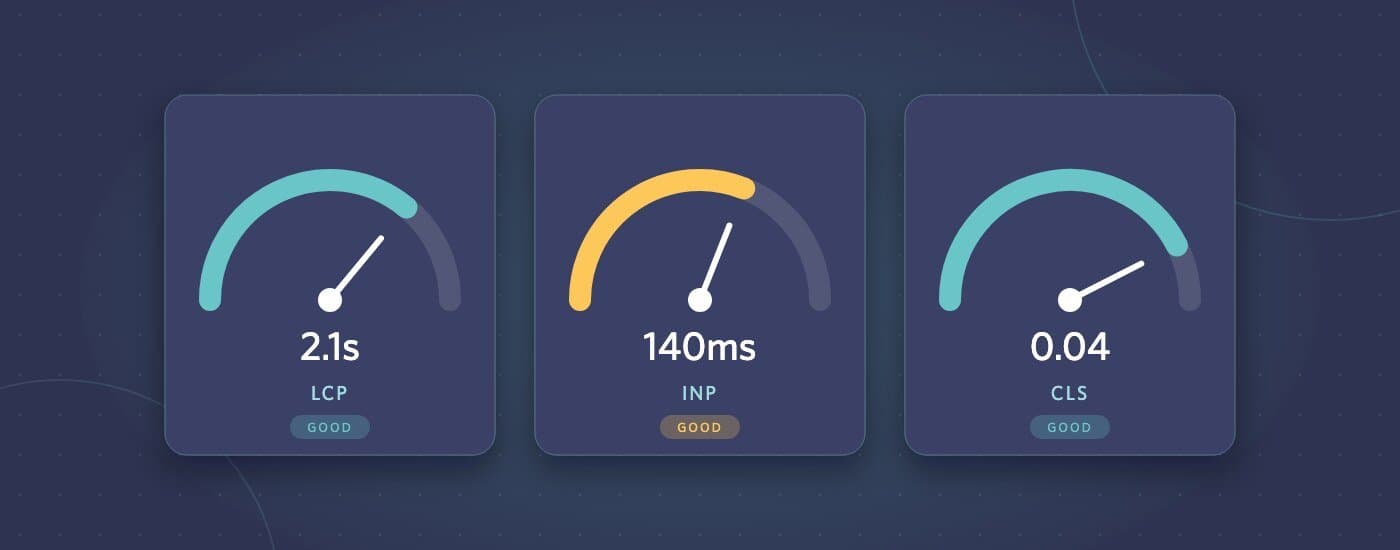
Google’s Core Web Vitals measure how a page feels to real visitors:
- Largest Contentful Paint (LCP): how long until the main content appears. Aim for 2.5 seconds or less.
- Interaction to Next Paint (INP): how quickly the page responds when someone clicks, taps or types. Aim for 200 milliseconds or less.
- Cumulative Layout Shift (CLS): how much the layout jumps around while loading. Aim for 0.1 or less.
These are judged on real visitor data, at the 75th percentile, over the previous 28 days. That’s why a perfect lab score on your fast laptop doesn’t guarantee a pass. Test on a mid-range phone over a throttled connection too.
Before handover: fix the usual suspects
Largest Contentful Paint
- The hero image is sized for the screen it’s shown on, in a modern format (WebP or AVIF), and isn’t lazy-loaded
- The main image or heading doesn’t wait for JavaScript to appear
- Web fonts are preloaded where it matters, use
font-displaysensibly, and are subset where possible - The server responds quickly: caching is on, and the hosting plan suits the traffic
Interaction to Next Paint
- No large JavaScript bundles loaded on pages that don’t need them
- Third-party scripts (chat, analytics, heatmaps, A/B testing) load after the page is usable, and only once consent is given where the law requires it
- Menus, filters and forms respond instantly, even on a mid-range phone
Cumulative Layout Shift
- Every image and embed has its dimensions set, so space is reserved before it loads
- Cookie banners and announcement bars don’t push the page content down after it has appeared
- Fonts don’t cause a big reflow when they swap in
At handover: write down the budget
The most useful document you can hand over is short: a performance budget, and a list of what can quietly break it.
- Current scores for the homepage and key templates, with the date and the tool used
- Image guidelines: maximum upload dimensions and file sizes, and which formats to use
- Third-party scripts: which ones are installed, why, and who approved them
- What to check after changes: a two-minute routine, such as running PageSpeed Insights on the changed page, before anything new goes live
Put it somewhere the client’s team will actually see it, such as the CMS dashboard or the project wiki, not buried in an email attachment.
After launch: know when it slips
Real-user data arrives slowly, so problems show up weeks after they’re introduced. Set things up so someone notices:
- Check the Core Web Vitals report in Google Search Console monthly. It groups problem URLs by issue.
- If the client has a support retainer, include a quarterly performance check in it
- Re-test after big changes: a new theme section, a new marketing tool, a new video on the homepage
The conversations that keep a site fast
Most performance regressions aren’t technical mistakes. They’re reasonable business requests with a cost nobody mentioned. When a client asks to add a new tool, the useful answer isn’t “no”. It’s “yes, and here’s what it costs in load time, and here’s how we’ll keep that cost small”. Loading it only on the pages that need it, or after the visitor’s first interaction, often gets the client what they want without the slowdown.
If a client site has slipped since launch, or you want a build that’s measured before it’s handed over, send it through our project brief form. We’ll tell you where the time is going and what it would take to fix.