On this page10
- 1. The design files, and which version is final
- 2. Every breakpoint you actually designed
- 3. The states nobody drew
- 4. Where the content comes from, and who edits it
- 5. Integrations, named specifically
- 6. Fonts, licences and assets
- 7. Browsers, devices and accessibility
- 8. Hosting and handover
- 9. Dates, and who signs off
- A brief doesn’t need to be long
Most quotes that go wrong were wrong before anyone opened the design file. A developer reads a brief, fills the gaps with assumptions, and prices those assumptions. Then the real requirements arrive halfway through the build, and everyone spends the next two weeks arguing about what was “obviously” included.
We read a lot of briefs from agencies. The ones that come back with an accurate, fixed number on the first pass tend to answer the same handful of questions. None of them take long to write down. Here they are, roughly in the order we look for them.
1. The design files, and which version is final
Send the source files, not exports. A Figma link with Dev Mode access (or view access, at minimum) lets us inspect spacing, type styles and components instead of measuring screenshots. Sketch and Adobe XD files work too; flattened PDFs and JPGs make everything slower and less accurate.
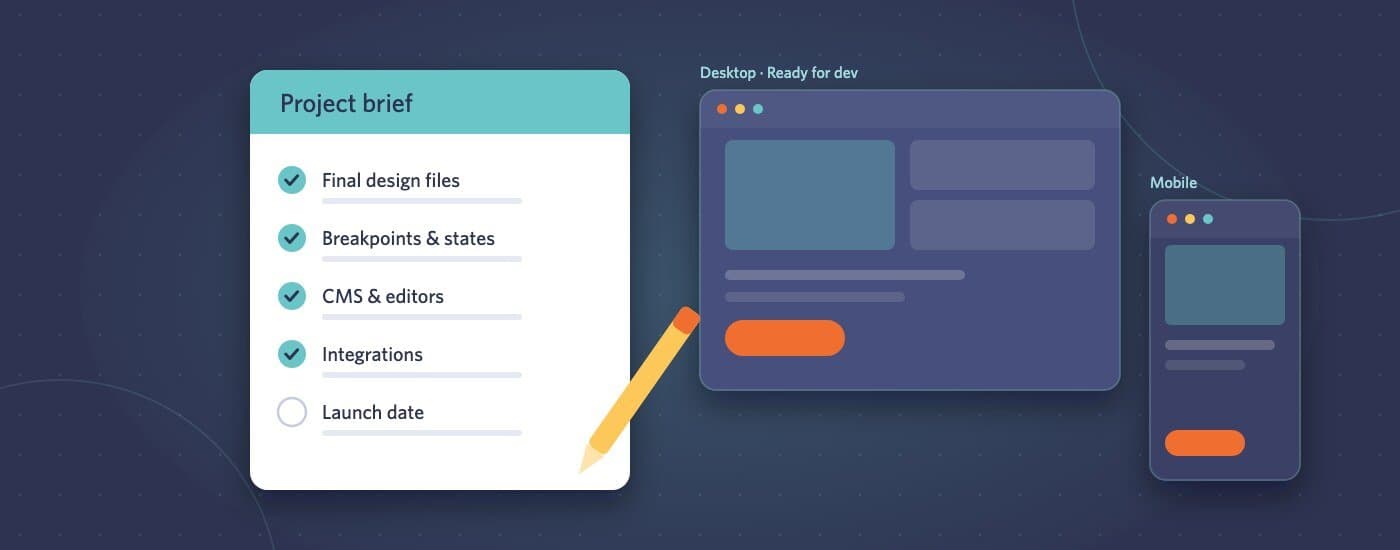
More important than the format: tell us which frames are approved. Figma files collect abandoned explorations, and a developer can’t tell a rejected option from the final one. A single page called “Ready for dev”, or a note listing the approved frames, removes a whole category of mistakes.
2. Every breakpoint you actually designed
If the designer produced desktop and mobile, say so, and say what should happen in between. “Scale it sensibly” is a fine answer, as long as you know that’s the answer you’re giving. Tablet layouts are where most “that’s not what I meant” feedback comes from, because nobody drew them and everybody imagined something different.
If you have a specific tablet layout in mind for a complex section, like a pricing table or a mega menu, sketch it. A rough wireframe is enough.
3. The states nobody drew
Designs show the happy path. A build has to handle everything else:
- Hover, focus and active states for buttons and links
- Form validation errors and success messages
- Empty states: a blog with no posts yet, a search with no results, an empty cart
- Loading states for anything that fetches data
- What long content does: a three-line product title, a 40-character German word, a card with no image
You don’t need a mockup for each one. A line saying “use the brand style, keep it simple” is an answer. Silence isn’t, because it means the developer decides, and their decision might not match yours.
4. Where the content comes from, and who edits it
A static landing page and a page the client’s marketing team edits every week are very different builds, even if they look identical. Tell us:
- Which platform: WordPress, Shopify, Webflow, HubSpot, a headless CMS, or plain HTML handed to your own developers
- Which parts need to be editable, and by whom
- Whether editors should be able to rearrange sections or only change text and images
- Whether real content exists yet, or we’ll be building around placeholder copy
The last one matters more than it sounds. Real content breaks layouts in ways lorem ipsum never does. If the final copy is coming later, budget a round of adjustments for when it lands.
5. Integrations, named specifically
“Connect the forms” could mean ten minutes or two days. Name the tools: which CRM, which email platform, which analytics, which booking system. If there’s an existing account, say whether we’ll get access or whether your team will handle the final connection.
The same goes for anything that talks to another system: product feeds, member logins, payment gateways, search. Each one is usually straightforward on its own. Discovering three of them after the quote is where budgets go.
6. Fonts, licences and assets
Web font licences are separate from desktop licences, and a surprising number of projects stall on this. If the design uses a commercial typeface, confirm the client has a web licence, or send the web font files. Same for icon sets and stock imagery: send the originals, not screenshots of them.
7. Browsers, devices and accessibility
Our default is the current and previous versions of the major browsers on desktop and mobile. If the client has a specific requirement, such as an older browser used across a corporate network or a particular device their customers rely on, put it in the brief.
Accessibility deserves its own line. If the client needs to meet WCAG 2.2 AA, for legal reasons or because it’s in their procurement rules, say so up front. Building accessibly from the start costs far less than retrofitting it after launch.
8. Hosting and handover
Where is this going to live, and in what form do you want it back? Common answers:
- Deployed to the client’s existing hosting
- Pushed to your Git repository, following your branching model
- A theme or zip file your team deploys
- Staging on our side, then a hand-off once it’s approved
If there’s an existing site, mention anything that has to survive the switch: URLs that need redirects, tracking scripts, forms that feed a CRM.
9. Dates, and who signs off
A deadline is useful. The reason behind it is more useful. “Launching with a campaign on the 14th” tells us which parts are non-negotiable and which could follow a week later if something slips.
Also tell us who gives feedback, and how. One consolidated list per review round keeps a project moving. Comments from four stakeholders that contradict each other stall it, and there’s nothing a developer can do about that from their side of the table.
A brief doesn’t need to be long
None of this needs a 20-page document. A Figma link and a page of bullet points answering the questions above is plenty. When something genuinely isn’t decided yet, writing “not decided yet” is still an answer: it tells us to price it as an option rather than guess.
If you’d like a second pair of eyes on a brief before it goes anywhere, send it over through our project brief form. We’ll tell you what’s missing, and you’ll get a fixed estimate back, usually within one business day.