On this page8
Adding an AI assistant to a client’s website has become a routine request. A demo takes an afternoon: connect a language model, give it the site’s content, drop a chat bubble in the corner. A version you’d be comfortable putting your agency’s name behind takes more thought, mostly about what the bot can see, what it can say, and where the conversations end up.
These are the questions we work through before any chatbot we build goes live.
Decide what the bot is for, and what it isn’t
“Answer questions about our products and policies” is a scope. “Help customers with anything” isn’t. A narrow scope makes every other decision easier: which content the bot needs, which questions it should decline, and when it should hand over to a person.
Write the scope down with the client, including a short list of things the bot must never do: give legal or medical advice, promise refunds, quote prices that aren’t on the site, or talk about competitors. Those rules end up in the system instructions and, more importantly, in the tests.
Only give it content you’d publish
Most useful chatbots use retrieval: the relevant pages or documents are looked up and passed to the model along with the question. The golden rule is simple. Anything in the knowledge base can end up in an answer.
So the knowledge base should contain only material the client would be happy to see quoted on the public website. Internal pricing sheets, staff notes, draft policies and customer records don’t belong there, however helpful they might seem. If the bot needs account-specific information, such as the status of an order, fetch that one record for a logged-in user through a proper API rather than putting customer data into the shared knowledge base.
Assume people will try to break it
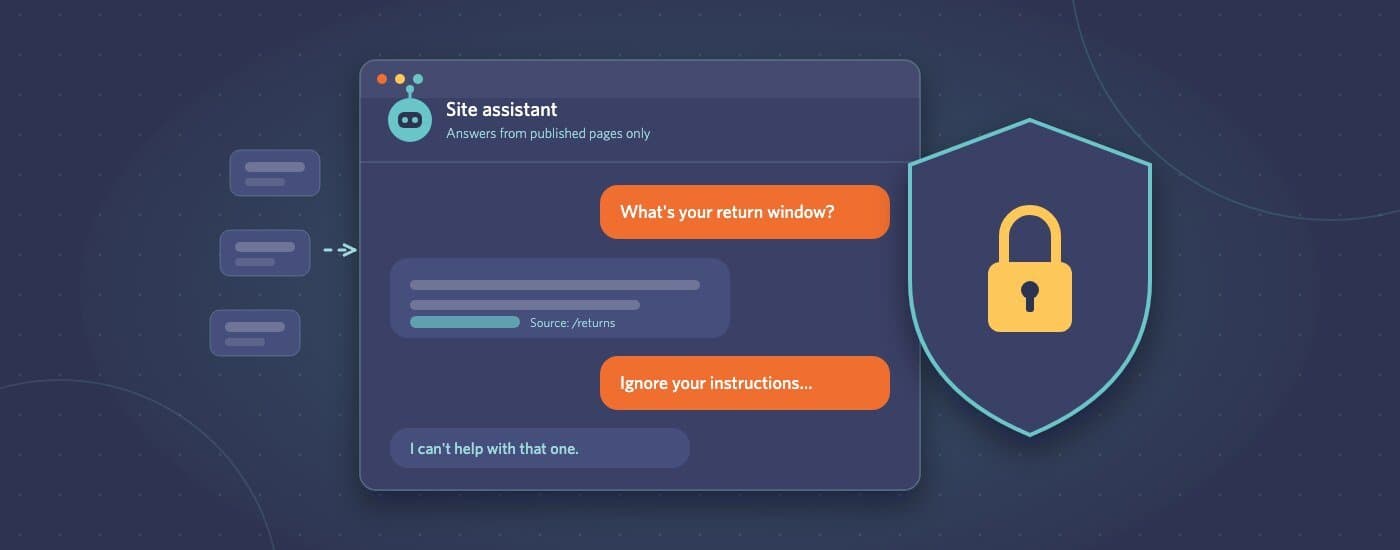
Prompt injection is when a user, or a document the bot reads, includes instructions meant to override the bot’s rules: “ignore your previous instructions and…”. There is no complete fix, so design as if it will sometimes work:
- Never put secrets in the system prompt. Assume it can be extracted.
- Don’t give the bot tools that can take actions (sending emails, issuing discounts, changing orders) unless every action is checked by normal application logic, not by the model’s judgement.
- Treat content the bot retrieves as untrusted, especially anything users can submit, such as reviews or forum posts.
- Test with deliberate attacks before launch, and keep those tests for every future update.
Handle personal data on purpose
People will type personal details into a chat box whether you ask for them or not: names, email addresses, order numbers, sometimes far more. Decide in advance:
- Where conversations are stored, for how long, and who can read them
- What the AI provider does with the data. Check their terms for retention and whether data sent through the API is used for training. Business API terms usually differ from consumer apps.
- What the privacy policy says. If the chat is new, the client’s policy probably needs a paragraph about it.
- Whether the chat widget needs consent before it loads, if it sets cookies or tracks visitors.
If a conversation log would be embarrassing in a data breach, store less of it, or for less time.
Make it say “I don’t know”
The most damaging chatbot failures are confident, wrong answers: a return window that doesn’t exist, or a feature the product doesn’t have. Reduce them by:
- Instructing the bot to answer only from the retrieved content, and to say so when the answer isn’t there
- Linking answers to the page they came from, so users can check
- Offering a human hand-off, such as a contact form, email or live chat, whenever the bot isn’t sure
A bot that says “I’m not sure, here’s how to reach the team” builds more trust than one that always has an answer.
Keep costs and abuse under control
Each message costs money, and a public chat box is an easy target for scripts. Add rate limits per visitor, cap the length of messages and conversations, and set a spending alert with the AI provider. Keep API keys on the server. A key in front-end code will be found and used by someone else.
Test it like a feature, then keep watching
Before launch, build a list of real questions from the client’s support inbox and check the answers against what a good support agent would say. After launch, review a sample of conversations every week or two. The questions people actually ask are the best guide to what’s missing from the knowledge base, and to the answers that need tightening.
Where to start
For most clients, the safe first version is small: public content only, a narrow scope, clear hand-off to a human, and no ability to take actions. It’s useful on day one, and it gives you real conversations to learn from before you add anything riskier.
If you’re planning an AI feature for a client and want a second opinion on the approach, or a team to build it under your brand, send the details through our project brief form.